How to Livestream a DJ Set Without Getting Muted
Why DJ livestreams get muted, which platforms license club music like Twitch's DJ Program and Mixcloud Live, and how to get clean audio into OBS.
Want to learn to DJ? 6 free lessons by Maxim Schunk: beatmatching, transitions, building a set.Start free →
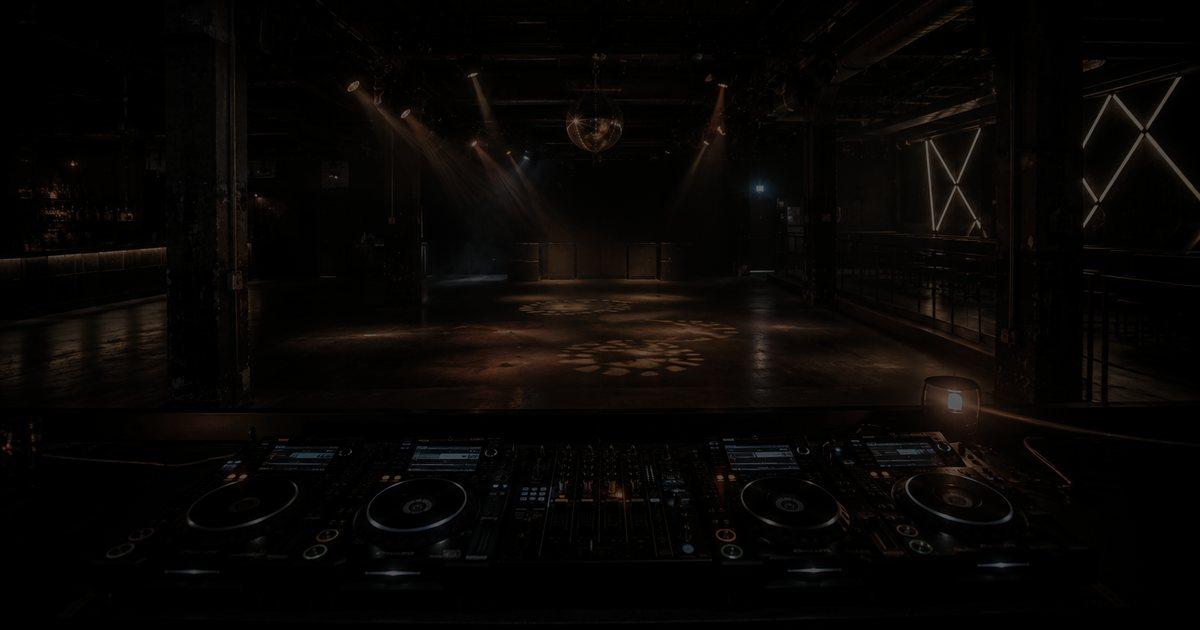
You spend an evening building the perfect set, hit "Start Streaming", and twenty minutes in the chat goes quiet. The stream has been muted, cut or flagged, and the recording you hoped to post afterwards is gone. Almost every DJ who has tried to stream from a bedroom setup has met this wall. The good news: it is not random. Streams get muted for predictable reasons, and once you understand how rights, platforms and audio routing fit together, you can stream a full set without playing roulette with your channel.
Why do DJ livestreams get muted or taken down?
The music in a DJ set belongs to other people. Every track carries at least two sets of rights: the recording, usually held by a label, and the composition, held by writers and publishers. Playing it to an audience online is a public performance, and uploading a recording of it is a reproduction. A licence for your own use (a Beatport download or a record you bought) does not cover either of those. Our guide to how music royalties work explains who owns what.
Platforms enforce this with audio fingerprinting. The big video services scan the stream and compare it against reference files supplied by rights holders. When a match is found, the rights holder's chosen policy kicks in: the audio may be muted, the stream may be interrupted, the replay may be blocked in some countries or taken down entirely. A DJ set is a worst case for these systems because it contains dozens of recognisable recordings in a row. Twitch learned this the hard way in 2020, when a wave of DMCA notices hit old clips and archived broadcasts and many streamers deleted years of content in a hurry.
Mixing, pitching or filtering a track does not make it safe. Fingerprinting is built to survive tempo changes and EQ, and even when a match slips through live, the stream is still unlicensed. Being undetected is not the same as being allowed.
Which platforms let you stream DJ sets legally?
The honest answer is: only platforms that hold a licence for the music you play. Two options stand out for club music.
Twitch DJ Program. Announced in June 2024, the programme gives DJs who opt in licensed access to catalogues from the three major labels (Universal, Sony and Warner) plus a large number of independents. The cost is shared: for monetised channels, part of the channel's earnings goes to rights holders, split with Twitch, while Twitch covers the cost for non-monetised DJs. The trade-off is distribution. Because of the licence terms, VODs, highlights and video uploads are disabled for DJ content, so the set exists only while it is live. Clip rules have changed since launch, so read the current programme terms before you rely on them. Twitch also encourages part-time DJ streamers to keep a separate channel for DJ content, because opting in applies to everything streamed on that channel.
Mixcloud Live. Mixcloud built its whole model around DJ mixes: it identifies the tracks you play and pays royalties to rights holders. Livestreaming is part of its paid Pro plan for creators, and the pitch is simple: stream without takedowns, let fans tip or subscribe, and keep the archive on a platform built for mixes. The audience is smaller than Twitch's, but it is an audience that came to listen to DJ sets.
YouTube, Instagram, TikTok and Facebook are a different story. You can stream there, but you have no blanket licence for commercial club tracks, and fingerprinting applies. If the set includes signed releases, expect interruptions, mutes or blocked replays. Many DJs use these platforms for short clips and teasers instead and send viewers to the licensed live stream. If short-form is part of your plan, see how to grow on TikTok as a musician.
Can you stream on YouTube without copyright claims?
Yes, but only with music you control or have cleared. That means your own productions, tracks where you hold written permission from the label and publisher, or catalogues that are explicitly cleared for streaming. Some small labels are happy to grant permission for promotional sets if you ask; get it in writing and keep it, because the automated system does not know about your email thread. If a claim lands anyway, a documented permission is what lets you dispute it.
A practical pattern used by many producers who DJ: build a streaming set largely from their own music, edits of their own tracks and cleared material from friends' labels.
How do you get your DJ audio into OBS?
Rights are half the problem. The other half is sound quality, and this is where most home streams fall apart. The goal is a clean, dedicated signal from your mixer into the streaming software, usually OBS Studio.
- Use a separate output. Most club mixers and many controllers have a record or booth output next to the master. Feed that into an audio interface connected to the computer running OBS. Your speakers stay on the master, and the stream gets its own signal.
- Controllers with a built-in sound card can often send the master straight to the computer, but check how your DJ software and OBS share the device. Running DJ software and streaming on one laptop works, but it leaves less headroom for the CPU; a second machine for OBS is more stable.
- Keep the mic in the chain on purpose. Route a talkover mic through the mixer if you want it in the mix, or into OBS as a separate source if you want to control it independently. Never let the room mic of a webcam pick up your monitors, which adds echo and delay.
If you are still deciding on hardware, our comparison of CDJs versus controllers covers what each setup gives you in terms of outputs and routing.
What audio levels should a DJ stream have?
Aim for a signal that never reaches the top of the meter. In OBS, peaks in the upper yellow zone are fine; the red zone means you are close to the limit, and hitting the very top of the meter (0 dBFS) means digital clipping that no listener's speakers can fix. Set the level at your mixer first, then use the gain in OBS only for fine adjustment.
Resist the urge to slam a limiter on the stream to make it loud. Streaming platforms encode your audio, and heavy limiting on top of already mastered club tracks turns kicks into flat thuds. A light limiter as a safety net is enough. Check the encoder settings too: music suffers much more from a low audio bitrate than speech does, so use the highest bitrate your platform accepts.
Finally, check sync. Webcams and capture devices often lag behind the audio by a fraction of a second, and viewers notice when your hands move after the drop hits. OBS lets you delay the audio source with the Sync Offset in its Advanced Audio Properties; clap in front of the camera, record a short test and adjust until picture and sound line up.
What makes people stay on a DJ stream?
Technical quality gets people to stay for a minute. What keeps them for an hour is presence. The camera angle should show your hands on the gear, not just your face lit by a laptop screen. Light the space, because a dark room reads as a dead stream on a phone. Talk to the chat between mixes, shout out regulars by name, and take requests if they fit the set. Keep a regular schedule: same day, same time, so people can build you into their week.
Treat the stream as its own format rather than a club set with a camera pointed at it. Nobody in a bedroom needs a two-hour warm-up. Get to the tracks that define your sound early, and give the stream a start and an end that feel intentional.
The short version
Streams get muted because the music is unlicensed, not because of bad luck. Stream licensed club music on a licensed platform such as the Twitch DJ Program or Mixcloud Live, keep YouTube and social platforms for your own or cleared material, and route a clean signal from a dedicated mixer output into OBS with sensible levels.
Frequently Asked Questions
Is it legal to stream a DJ set on Twitch?
Yes, if you opt in to the Twitch DJ Program, which licenses music from the major labels and many independents for live DJ streams. Without it, playing commercial tracks on stream is unlicensed and can lead to enforcement against your channel.
Why can't I save the VOD of my Twitch DJ stream?
Under the licence terms of the Twitch DJ Program, VODs, highlights and video uploads are disabled for DJ content. The set only exists while it is live, so if you want an archive, record the audio locally and publish it on a platform that licenses mixes.
Will pitching or filtering tracks stop copyright detection?
No. Audio fingerprinting is designed to recognise recordings through tempo changes, EQ and effects. And even when a track is not detected, using it on stream without a licence is still unlicensed.
Can I upload my DJ set recording to YouTube?
Only if you own or have cleared the music in it. Sets built from signed commercial tracks will usually be matched by Content ID and can be muted, blocked or monetised by the rights holders. Own productions and tracks with written permission are the safe route.
Do I need an audio interface to stream a DJ set?
Not always. Many controllers can send audio straight to the computer. A separate interface fed from the mixer's record or booth output gives you a cleaner, independent stream signal and makes it easier to run OBS on a second machine.
Read next
Guide
How to Do Long Blends as a DJ: EQ, Phrasing, Track Choice
Guide
Playing Vinyl at Festivals: Feedback, Wind, Heat and Riders
Guide
DJ Effects Explained: How to Use Echo, Filter and Reverb
Guide
Vinyl DJing Explained: Why DJs Still Play Records
Guide
How to Play a B2B DJ Set: The Complete Guide
Guide