DJ Effects Explained: How to Use Echo, Filter and Reverb
What DJ effects do, Beat FX vs Color FX, how to echo out of a track, when to use filter and reverb, and how to stop overusing effects in a DJ set.
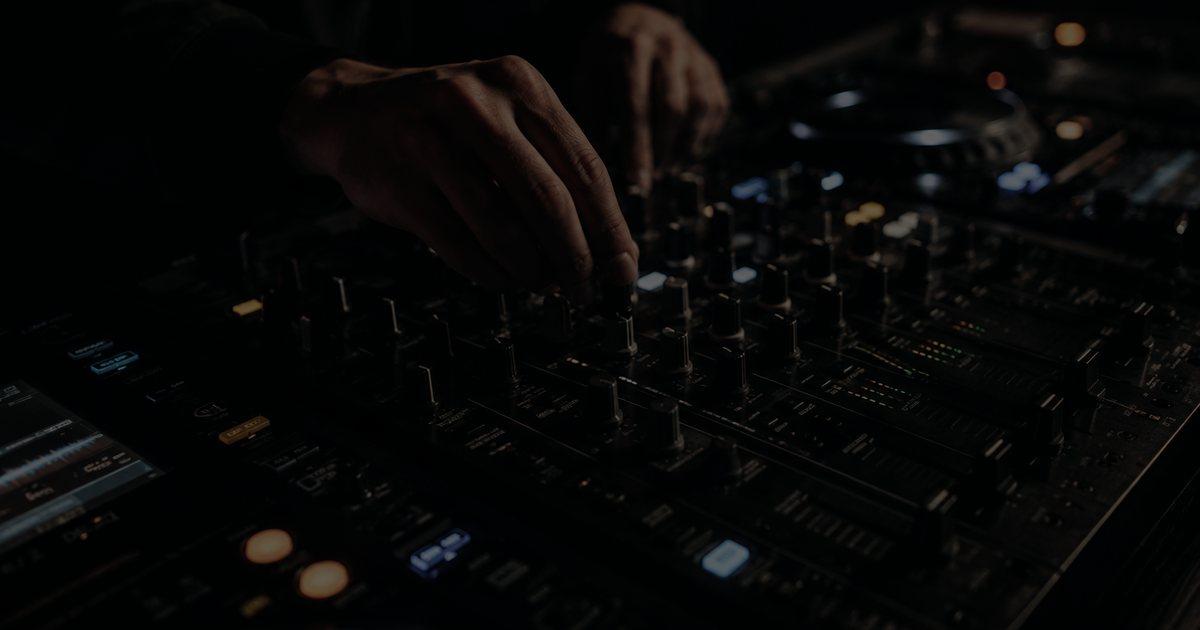
Every DJ remembers the first night they found the effects section. One push of the echo button and the outgoing track dissolved into repeats; one twist of the filter and the room seemed to hold its breath. Then, usually within a few weeks, comes the second discovery: the crowd does not cheer every time you do it. Effects are the most misunderstood part of the DJ mixer, because they are easy to switch on and hard to use well. This guide explains what each common DJ effect actually does, how the controls work on a typical club mixer, and how to decide when an effect earns its place in a mix.
What do DJ effects actually do?
A DJ effect processes the sound of one channel, or of the whole mix, before it reaches the speakers. Almost every effect you will meet falls into one of three families. Time-based effects such as echo, delay and reverb add copies of the signal: repeats, tails and a sense of space. Filter effects remove frequencies, cutting the bass or the treble so a track sounds thinner, darker or further away. Modulation and rhythmic effects such as flanger, phaser, roll and gate move the sound in time or pitch, creating swooshes, stutters and chops.
What makes DJ effects different from the plug-ins in a production studio is that they are tempo-aware. A DJ echo is not set in milliseconds by default but in beats, because the mixer or software knows the BPM of the track and times the repeats to land on the grid.
Beat FX vs Color FX: what is the difference?
On the Pioneer DJ club mixers found in most booths, effects come in two separate sections, and confusing them is the most common beginner error.
- Sound Color FX sit on a single knob per channel. On the DJM-900NXS2 there are six types: Space, Dub Echo, Sweep, Noise, Crush and Filter. You pick one with a button, then each channel's Color knob controls it. They are built for quick, hands-on moves: a filter sweep here, a burst of noise there.
- Beat FX are a separate, tempo-synced bank with a larger menu, a beat-fraction selector, a dial to choose which channel (or the master) the effect sits on, a Level/Depth knob and an on/off button. This is where echo, delay, reverb, flanger and the rhythmic effects live.
Controllers and DJ software follow the same logic under different names. Software effect units usually offer a chain of effects per deck with a wet/dry amount and a beat-length setting. Understand those two ideas and any setup will make sense within a minute.
How to use the echo effect in a DJ mix
Echo is the effect worth learning first, because it solves a real problem: getting out of a track cleanly when the transition is not working. Pioneer's own manual draws a useful line here. A delay outputs the delayed sound once at the chosen beat fraction; an echo outputs it several times, gradually fading away. That fading tail is what you want.
The classic move is the echo out. Set the echo to one beat or half a beat, switch it on during the last bar of a phrase in the outgoing track, then pull that channel's fader down on the downbeat. The repeats keep ringing after the fader closes and fade on their own, while the new track starts underneath. It is the cleanest emergency exit in DJing, and the standard way to jump between tempos that will never blend.
Three settings decide whether it sounds deliberate or messy:
- Beat fraction: 1/2 and 1 beat sit inside the groove; 3/4 creates a skipping, off-grid feel that can sound great or chaotic depending on the music. Very short fractions turn echo into a metallic flutter.
- Level/Depth: this sets the balance between the original sound and the repeats. For a subtle echo on a vocal phrase, keep it low; for an echo out, push it higher so the tail carries the moment.
- Timing: engage the effect at the end of a phrase, not halfway through a bar. Repeats that start on a phrase boundary sound composed; repeats that start randomly sound like a skipped record.
One technical point catches people out: the echo repeats contain the full frequency range, bass included. Echoing a kick and bassline into a new track can produce a muddy rumble on a big system. Many DJs cut the low EQ of the outgoing channel just before the echo out so only the mids and highs repeat.
When to use filter and reverb
The filter is the most-used effect in house and techno, and for good reason: it lets two tracks overlap without fighting. Turning a channel's filter towards high-pass removes its bass, so you can bring a new track in underneath, then sweep the filter back to centre so the full track arrives. Turning towards low-pass does the opposite, muffling a track as if it were playing in the next room. A slow low-pass sweep across 16 or 32 bars is one of the most effective ways to build tension without touching the volume.
Two rules keep filters musical. Sweep slowly, because a fast sweep on every transition becomes a tic the floor notices. And return to the centre position on purpose, ideally on a phrase change; a filter left half-open drains energy from a track for minutes without anyone noticing why.
Reverb is more dangerous. A short burst on a snare or vocal before a breakdown adds drama, and a long reverb tail can wash out a track at the end of the night. But reverb smears transients, and in a room that is already reverberant it piles up fast. What sounds lush on headphones can turn the floor into soup, which is part of why the acoustics covered in how club sound systems work matter to DJs as much as to engineers.
Roll, flanger and the rhythmic effects
The more dramatic effects belong to specific moments. A roll captures a short slice of audio and repeats it, which builds tension at the end of a build-up when the fraction is shortened step by step. A flanger or phaser adds a sweeping, jet-plane movement that suits a breakdown or a long, filtered intro. A gate or trans-style effect chops the sound rhythmically and works on sustained pads more than on drums.
These effects are strongest when they underline something already happening in the track. A roll that lands on the last bar before a drop amplifies the drop; the same roll in the middle of a groove simply interrupts it. Genre matters too. Big-room and festival sets tolerate bold moves, while a deep or minimal set can be ruined by one flanger too many. In an opening slot, as described in our warm-up set guide, restraint is part of the job.
How to avoid overusing effects
The honest test for any effect is simple: would the mix sound worse without it? If the answer is no, leave it off. Some practical habits help:
- Record your sets and listen back. Effects feel bigger in the booth than they sound on a recording. If you can hear the same echo pattern every transition, so can the crowd.
- Do not use effects to hide a bad blend. A drifting beatmatch under a reverb wash is still a drifting beatmatch. Fix the fundamentals covered in our guide to DJ transition techniques first.
- Watch the levels. Effects add energy to the signal. Heavy echo or noise can push the master into the red, so keep an eye on the meters when the Level/Depth knob goes up.
- Consider stems instead. On modern software, isolating the vocal or drums of a track can do what a filter used to do, more cleanly. Our explainer on mixing with stem separation covers how the two approaches combine.
Conclusion
DJ effects are seasoning, not the meal. Learn echo out and the filter properly before anything else; they solve real problems in nearly every set. Treat reverb with caution in big rooms, save rolls and flangers for moments the track has already prepared, and let the music carry most transitions on its own. The DJs whose effects you remember are rarely the ones who used the most. They are the ones who used an effect exactly once, at exactly the right bar.
Frequently Asked Questions
What is the best DJ effect for beginners?
Echo, followed closely by the filter. Echo gives you a clean way out of a track with the classic echo out, and the filter lets two tracks overlap without their basslines clashing. Both solve real problems in almost every set, so they are worth mastering before anything more dramatic.
What is the difference between echo and delay on a DJ mixer?
On Pioneer DJ mixers such as the DJM-900NXS2, delay outputs the delayed sound once at the chosen beat fraction, while echo repeats it several times and fades it out gradually. That fading tail is why echo is the effect DJs use to end a transition.
How do you do an echo out?
Set the echo to one or half a beat, switch it on in the last bar of a phrase of the outgoing track, then pull that channel fader down on the downbeat. The repeats keep ringing and fade naturally while the next track starts. Cutting the low EQ first stops the bass from muddying the echo.
Should DJs use effects in every transition?
No. Effects that appear in every transition become predictable and can hide weak beatmatching. Many strong transitions use no effects at all and let the arrangement of the tracks do the work. Use an effect when the mix would sound worse without it.
Can you use DJ effects on the master channel?
Yes. On most club mixers the Beat FX channel selector includes the master, which applies the effect to everything playing. It is powerful for big moments but also the easiest way to overdo it, so use master effects sparingly and watch the output level.
Read next
Guide
Playing Vinyl at Festivals: Feedback, Wind, Heat and Riders
Guide
How to Livestream a DJ Set Without Getting Muted
Guide
Vinyl DJing Explained: Why DJs Still Play Records
Guide
How to Play a B2B DJ Set: The Complete Guide
Guide
How to Play a Warm-Up Set: The Opening DJ Guide
Guide